
So, you're wondering if that sleek wireless charging pad on your desk is actually safe. It’s a totally fair question. The short answer is a resounding yes, but with one crucial condition: you have to use a properly certified charger.
It’s a bit like picking the right chew toy for your pup. You wouldn't just grab any old squeaky thing; you look for one made from safe, durable materials. The same logic applies here. A certified charger gives you that same peace of mind, whether it's on your nightstand, in the kitchen, or anywhere a curious tail might wag.
How Safety Is Built-In
Whenever a new technology involves something we can't see—like the energy fields in wireless charging—it's smart to be a little skeptical. But the great thing about modern wireless charging is that safety wasn't just an afterthought; it was a core part of the design from day one.
This focus on safety is a huge reason why the technology has taken off. The global market for wireless charging was valued at $2,532.55 million back in 2021 and is expected to soar past $6,025.25 million by 2025. That kind of growth only happens when people trust the products they're buying. You can see more data on the wireless charging market's growth for yourself.
Certified vs. Uncertified Chargers
Here’s the single most important factor when it comes to safety: certification. Look for products that are Qi-Certified. This means they've been put through a whole battery of tests by an independent lab to ensure they’re safe, efficient, and play well with other devices. It's the gold standard for your tech—and your pack.
This simple chart sums up the difference perfectly.
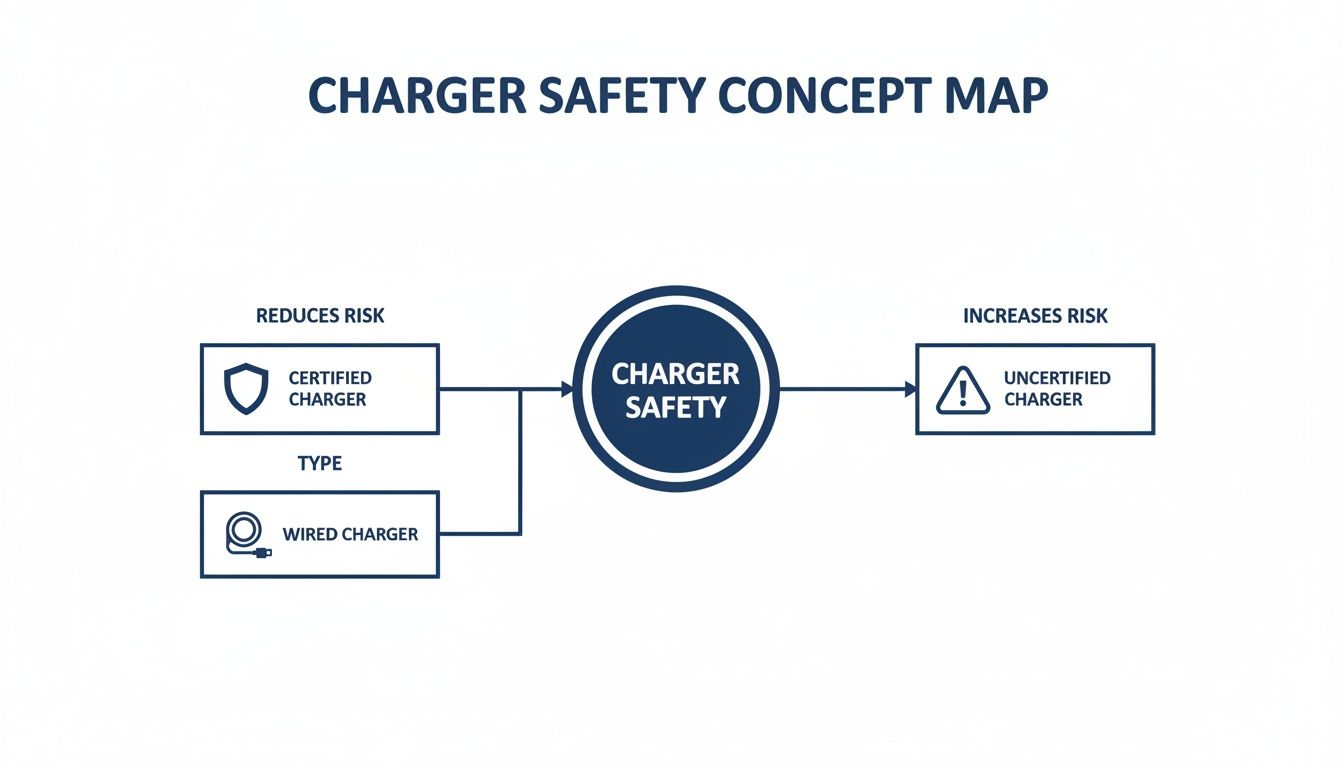
The takeaway is clear: certified chargers are built like a fortress with layers of protection, while uncertified knock-offs leave the doors wide open to risk.
Safety at a Glance: Wireless vs. Wired Charging
So how do the different types of chargers really stack up against each other? This table breaks down the key safety differences between certified wireless, sketchy uncertified ones, and your trusty old wired charger.
| Safety Feature | Certified Wireless (Qi) | Uncertified Wireless | Wired Charging |
|---|---|---|---|
| Overheat Protection | Yes, built-in sensors | No, high risk of overheating | Yes, in quality chargers |
| Foreign Object Detection | Yes, stops charging | No, can heat metal objects | Not Applicable |
| Fire Risk | Very Low, uses V0 materials | Moderate to High | Very Low, with quality cables |
| Device Battery Safety | Excellent, smart charging | Poor, may damage battery | Excellent, with modern phones |
As you can see, the real danger isn't in wireless technology itself, but in cheap, uncertified products that cut corners. Choosing a certified charger is the best thing you can do to ensure your phone, home, and furry friends stay safe.
Now, let's dive into exactly how these smart chargers work their magic to prevent problems.
How Wireless Charging Works Without the Jargon
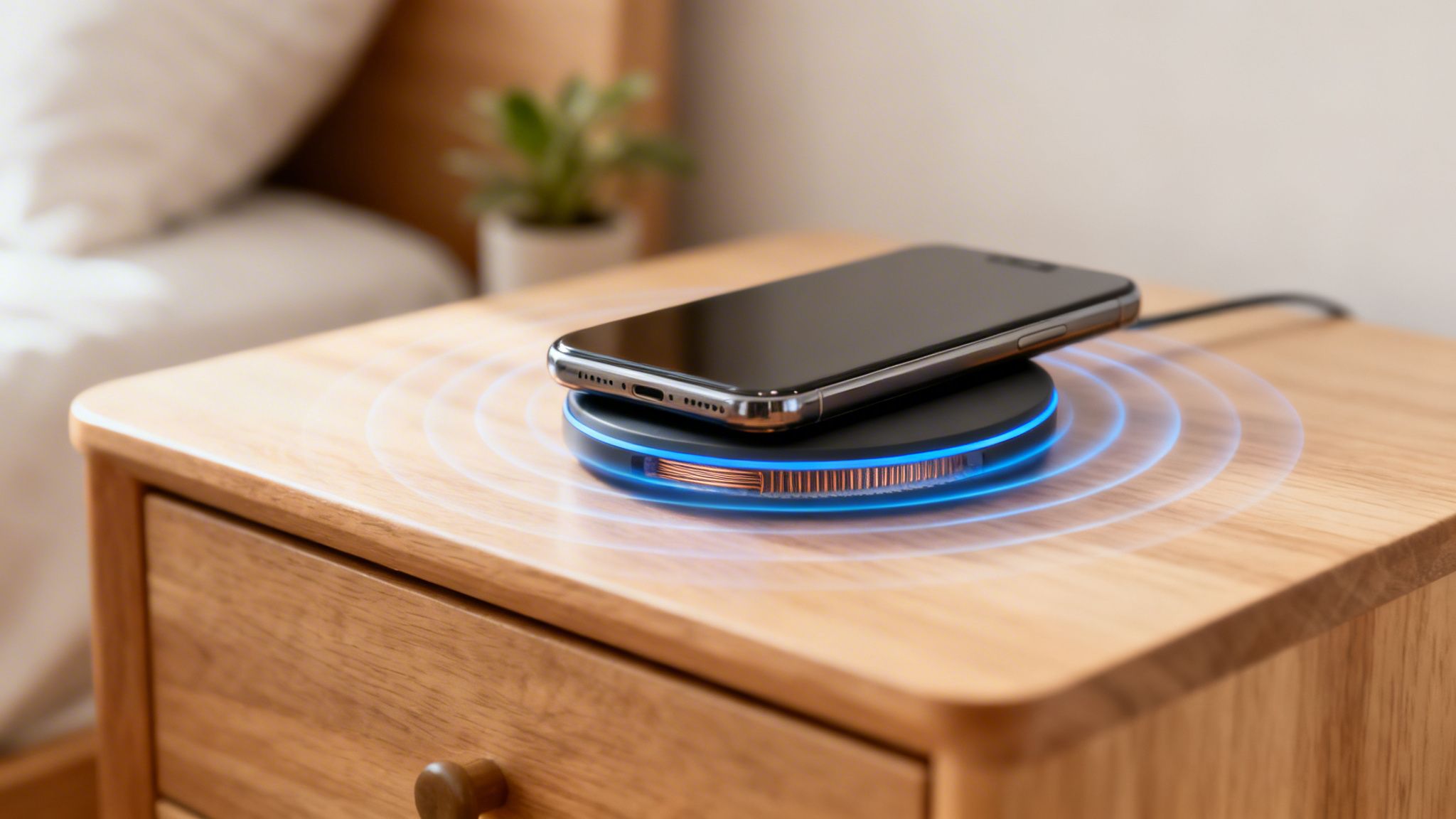
So, how does your phone magically gain battery life just by sitting on a little pad? It’s not magic, but it is a fascinating bit of physics called inductive charging. There are no sparks, no secret plugs—just a clean, invisible transfer of energy.
The easiest way to picture it is to think of two tuning forks. If you strike one, its sound waves travel through the air and make a second, identical tuning fork start humming, too. Wireless charging does the same thing, but it uses a magnetic field instead of sound.
Inside the charging pad is a coil of wire, which we can call the transmitter. When you plug the pad into the wall, electricity runs through that coil and creates a small magnetic field right around the pad. Your phone has a matching coil inside of it, called a receiver, that's designed to listen for that field.
The Invisible Handshake
When you place your phone on the pad, its receiver coil enters the transmitter's magnetic field. This connection—an "invisible handshake"—gets the electrons in your phone's coil moving, creating an electrical current. That current is what charges your battery. Simple as that.
The core idea behind this technology is surprisingly old, based on electromagnetic induction—a process discovered by scientist Michael Faraday way back in the 1830s. Today's chargers just package that principle into a sleek, modern design.
This whole energy exchange only happens over a very short distance. That's actually a key safety feature. The magnetic field is just strong enough to connect with your phone but fades to almost nothing an inch or two away from the pad. To really dig into the safety side of things, it helps to understand this basic science. You can learn more about how wireless charging how it works in more detail.
Key Components in the Process
You don't need to be an electrical engineer to get this, but knowing the main players helps you understand why the system is inherently safe. Here’s a quick look at who’s who:
- Charging Pad (Transmitter): This is the base you plug in. It holds the transmitter coil that creates the magnetic field.
- Your Device (Receiver): Whether it's your phone, watch, or earbuds, it has a tiny receiver coil inside that captures the energy.
- The Magnetic Field: This invisible field is the bridge that carries power from the pad to your device. It’s the "air" that carries the vibration from one tuning fork to the other in our analogy.
What's really cool is that modern chargers are smart. The pad and your device are constantly talking to each other to make sure the phone gets just the right amount of juice. This communication also lets the charger spot problems—like if a curious pup’s metal collar tag accidentally lands on it—and shut down immediately to prevent overheating.
This basic knowledge really sets the stage for everything else. It explains why safety features like Foreign Object Detection and temperature controls aren't just tacked on; they're woven directly into the fabric of how wireless charging operates.
Decoding the Safety Features That Keep You Protected
So, you understand the magic behind wireless charging, but what separates a good, safe charger from a cheap knockoff? Let's get into it. The truth is, not all charging pads are built the same, and the differences in their safety features are huge. Think of it like a sturdy, well-built dog kennel versus a flimsy crate—both might seem to do the job, but only one gives you real peace of mind.
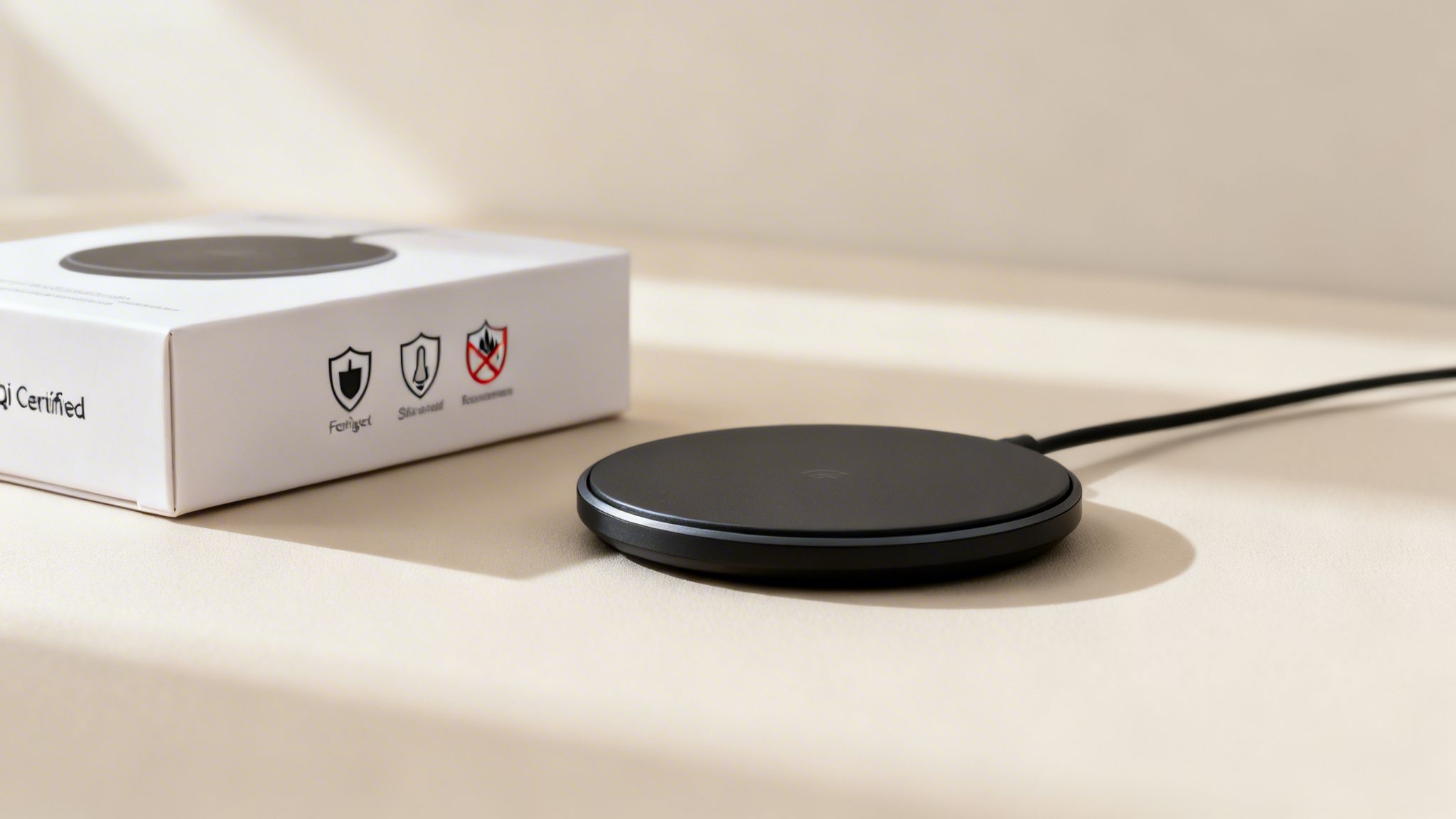
When you're out shopping, the single most important thing to look for is the Qi-Certified logo. This is your guarantee. It means the product has been put through a whole battery of tough, independent tests to make sure it's safe, efficient, and plays well with your devices. It’s a seal of approval you can trust.
The folks behind this standard, the Wireless Power Consortium (WPC), are the global authority, and they're always updating their requirements to keep up with new technology. When you see that logo on the box, you know the manufacturer didn't cut corners.
Must-Have Built-In Protections
A certified wireless charger is more than just a power source; it's packed with smart tech designed to stop accidents before they can even start. These aren't just fancy extras—they're the core functions that make all the difference.
One of the most brilliant features is Foreign Object Detection (FOD). This clever system can tell if a metal object that doesn't belong, like a stray coin, a paperclip, or even your dog's metal tags, has landed on the charging pad.
If it detects something that isn't a compatible phone or device, the charger immediately cuts the power. Why is that so important? Because the magnetic field would try to transfer energy to that metal object, causing it to heat up—sometimes to dangerous levels. FOD completely prevents this, ensuring your charger only powers up what it's supposed to.
Keeping Things Cool and Contained
Another absolute must-have is overheat protection. It's totally normal for wireless charging to generate a little bit of heat. But a quality charger acts like a tiny, dedicated thermostat for your phone.
It's constantly monitoring the temperature of both the charging pad and your device. If things start getting a little too toasty, it automatically dials back the power or shuts off entirely until everything cools down to a safe level. This is key to preventing damage to your phone's battery and dramatically reducing any fire risk.
A certified charger is like a vigilant little guardian for your devices. It’s always on watch, managing heat and checking for foreign objects so you don't have to.
To build a complete safety net, reputable manufacturers also pay close attention to the physical materials. Here are the key elements that protect you from electrical and fire hazards:
- Overcurrent and Overvoltage Protection: Think of these circuits as a bodyguard for your phone. They shield it from any unpredictable power surges or dips coming from your wall outlet.
- Fire-Resistant Materials: The outer case of a certified charger is usually made from plastics with a V0 flammability rating. This is the highest standard you can get, meaning the material will stop burning on its own within 10 seconds if it ever catches fire.
These features all work together in a seamless system. For example, the latest Qi2.0 and Qi2.2 certifications from the Wireless Power Consortium mandate all of these features—temperature sensors for overheat protection, Foreign Object Detection, and overcurrent circuits. You can read more about these rigorous safety standards on ecoflow.com to see just how thorough they are.
Ultimately, when you choose a certified device with these protections, the answer to the question, "are wireless chargers safe?" becomes a confident yes.
Understanding the Truth About EMF Radiation
Alright, let's clear the air about the big, scary-sounding term that always comes up with wireless tech: EMF, or electromagnetic fields. It’s the main reason people hesitate, but once you separate the science fiction from the actual science, you’ll see there’s nothing to fear.
The reality is, we're surrounded by electromagnetic fields every day. Anything that runs on electricity—from your lamp to your TV—creates them. But not all EMF is created equal, and that's the crucial part. The kind your wireless charger produces is worlds away from the stuff you should actually be concerned about.
It all boils down to two main types of radiation: ionizing and non-ionizing. Ionizing radiation, like the kind from X-rays, is powerful enough to knock electrons out of atoms and potentially damage DNA. Non-ionizing radiation just doesn't have that kind of muscle. It’s more of a gentle nudge than a heavyweight punch.
Putting EMF Levels Into Perspective
Your wireless charger uses low-frequency, non-ionizing radiation. Its energy emissions are far weaker than what you get from other common devices you probably use without a second thought.
Honestly, the EMF from a Qi-certified wireless charger is much weaker than the signal your phone uses to connect a call or even the waves coming from your home’s Wi-Fi router.
If you’re comfortable using Wi-Fi, talking on your cell phone, or heating up last night's leftovers in the microwave, you can feel perfectly confident using a wireless charger. The energy levels are well within established international safety guidelines.
Health agencies across the globe have studied this and consistently found that wireless charging is safe. These chargers operate at very low frequencies (typically 110–205 kHz) and use minimal power, falling far below the strict limits set by groups like the International Commission on Non-Ionizing Radiation Protection (ICNIRP). You can read more about the science behind wireless charging safety if you want to geek out on the data.
EMF Compared to Everyday Devices
Saying the levels are "low" is one thing, but seeing how they stack up against other things in your house really puts it into context.
- Wireless Charger: Emits a tiny magnetic field that fades to almost nothing just a few inches away.
- Wi-Fi Router: This thing is basically shouting a radiofrequency signal all over your house, 24/7.
- Microwave Oven: While running, a microwave creates a powerful field. Even with its protective shielding, the small amount that leaks out is often more than a wireless charger's output.
- Hair Dryer: Believe it or not, this common tool generates a surprisingly strong magnetic field, especially when you hold it right next to your head.
The key takeaway here is that distance is everything. The energy from a wireless charger is only potent right at the surface where it makes contact with your phone. Your body isn't—and shouldn't be—touching it anyway! Even your pup snoozing on the floor nearby is perfectly safe.
Special Guidance for Peace of Mind
Even though the science is solid, it's completely normal to want a little extra reassurance. For most people, including children and pregnant individuals, there's no evidence of any risk from using a certified wireless charger. And if you're looking to untangle other parts of your tech setup, you might like our guide to some high-quality and super cute wireless headphones.
For anyone with a pacemaker or other implanted medical device, it's always smart to be a little more mindful. While the risk is incredibly low, experts suggest keeping about 6-12 inches (15-30 cm) between the charging pad and the implant. Just setting the charger on your nightstand instead of, say, balancing it on your chest while you scroll in bed, is all it takes to be perfectly safe.
Does Wireless Charging Harm Your Phone's Battery?
Beyond any personal safety worries, the question I hear most often is about our devices themselves. Does dropping your phone on a wireless charger day after day slowly kill its battery?
The short answer is no—as long as you’re using a quality, certified charger. The real villain in the battery-health story isn't the wireless technology, but its age-old enemy: excessive heat.
Heat is a battery's kryptonite, whether you're charging with a wire or without one. You've probably noticed your phone getting warm while plugged in, and that’s the same principle at work. Wireless charging is naturally a little less efficient than a cable, which means some extra energy gets lost as heat. This makes it even more critical for the charger to have smarts built in to manage temperature.
Think of it like this: a cheap, uncertified charger is just a dumb power source. It pushes energy out, and if that creates too much heat, tough luck. A certified charger, on the other hand, is in constant communication with your phone, acting like a sophisticated climate control system to keep things from getting too hot.
How Smart Chargers Protect Your Battery
Modern, Qi-certified wireless chargers are loaded with features designed specifically to keep your phone's battery healthy. They're not just blindly sending power; they're having a conversation with your device to prevent the two biggest battery killers: overheating and overcharging.
A common myth is that letting your phone sit on a wireless pad and "trickle charge" is bad for it. It's actually the opposite. When your phone’s battery hits 100%, a smart charger doesn't keep jamming more power into it. Instead, it either shuts off or switches to an ultra-low-power maintenance mode, only giving the battery a tiny nudge when it naturally dips. This is far better for its long-term health. Since most phones use lithium-ion batteries, it's helpful to know if cell phones have lithium batteries and the associated risks of thermal runaway.
The biggest threat to your phone's battery isn't wireless charging—it's unregulated heat. A quality charger with built-in temperature controls is your battery's best friend, whether it's wired or wireless.
Simple Tips for a Healthy Battery
While a good charger does most of the heavy lifting, a few good habits can go a long way in keeping your battery in top shape. These simple practices also help your device charge more efficiently. And if you want to dive deeper into device longevity, check out our guide on the 10 ways you're shortening the life of your phone.
Here are a few quick tips to get the most out of every charge:
- Center It Up: Make sure your phone is sitting squarely in the middle of the charging pad. When it's off-center, both the phone and charger have to work harder, which generates more heat.
- Ditch the Thick Case: Some extra-bulky or rugged cases can act like an insulator, trapping heat. If you notice your phone is especially warm after charging, try taking the case off.
- Stay Out of the Sun: This one might seem obvious, but don't set up your charging station in a sunny spot on your desk or windowsill. That extra environmental heat can easily push temperatures into the red zone.
Practical Tips for Safe Everyday Wireless Charging
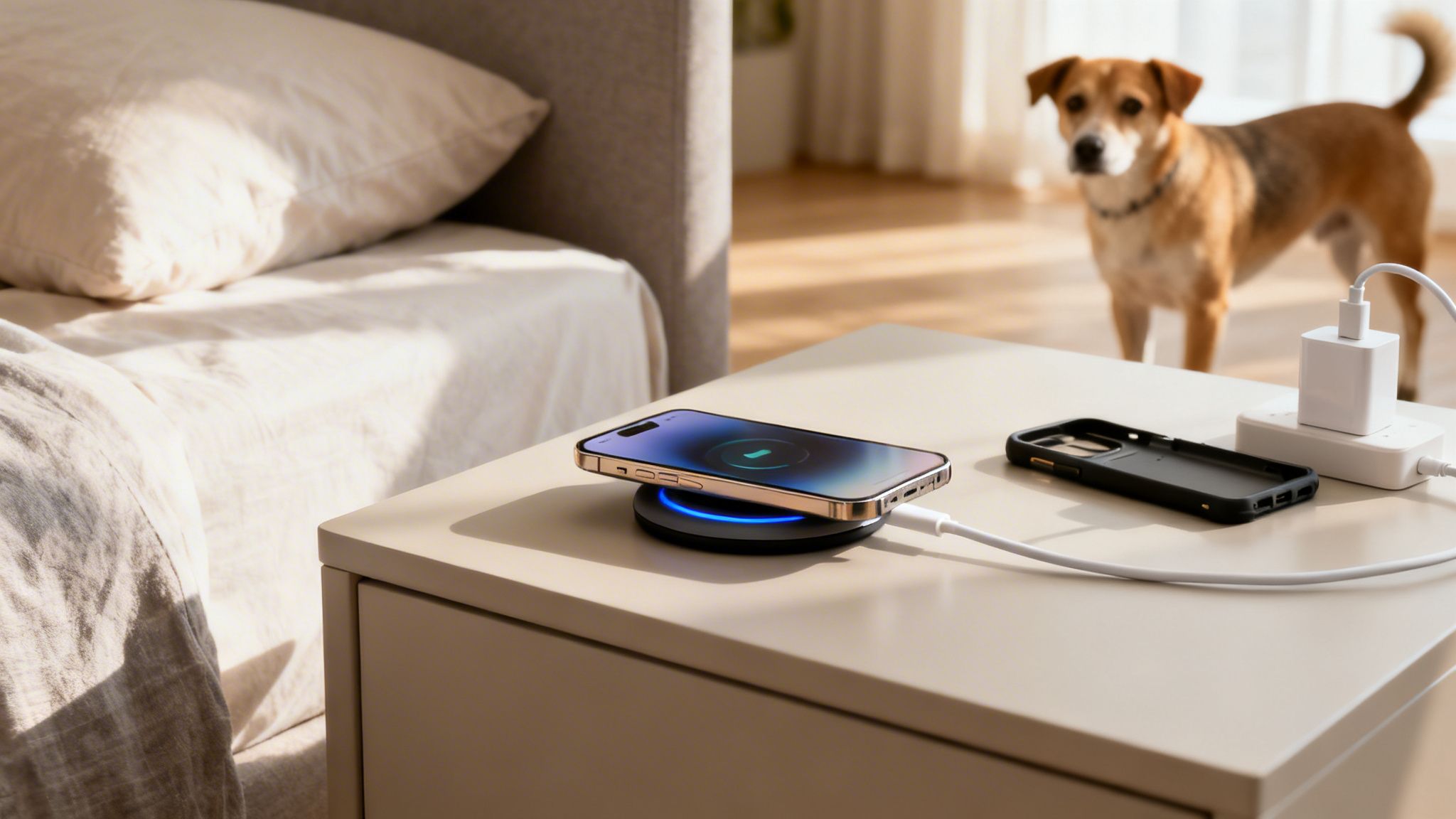
Alright, we've covered the science and the safety standards. Now, let's talk about what this all looks like in the real world—your world. Knowing that wireless chargers are generally safe is great, but building a few simple habits is what really makes the difference.
Think of these tips as your quick-start guide to worry-free charging. They’re easy to fold into your daily routine and will help protect your expensive gadgets and keep your home safe for everyone, especially curious pups.
Choose the Right Gear
Honestly, the most critical step you can take happens before you ever plug anything in. It all comes down to picking the right charger and power adapter from the start.
First things first: always buy Qi-certified chargers. That little Qi logo is your peace of mind. It’s a promise that the charger has been through a battery of safety tests for things like heat control and efficiency. It can be tempting to grab a cheap, no-name charger online, but trust me, the few dollars you save aren't worth the risk.
And don't forget its partner in crime: the correct power adapter. Your wireless charger is only as good as the brick it's plugged into. If you use an underpowered adapter, you’ll get painfully slow charging. If you use a poor-quality one, it could be a safety issue. Just check the charger's manual for the recommended wattage and stick with it.
Perfect Your Placement
Where you set up your charger matters more than you might think for both safety and performance. The golden rule is simple: use a flat, stable, and hard surface. A desk, a nightstand, or a kitchen counter is perfect. This gives the charger a little breathing room so the small amount of heat it generates can easily escape.
A wireless charger needs room to breathe. Placing it on soft, insulating surfaces like a bed, couch, or under a pillow is a serious safety risk. These materials trap heat, which can lead to overheating and potential damage.
For all of us in the SetterFrens community, this also means putting on our "dog owner" hats. Keep your charging station away from wagging tails and curious sniffers. A dangling cord can look like a fantastic new chew toy to a playful pup, so keeping cables tucked away is always a good idea. A tidy setup is a safer setup.
Keep It Clear and Clean
For that magnetic magic to happen safely, the path between the charging pad and your phone needs to be clear. Before you set your phone down, just give the surface a quick check for any stray items.
Here are the main culprits to look out for:
- Phone cases with metal: This is a big one. It includes cases with those pop-out grips, magnetic car mount plates, or any other metal bits. Metal can mess with the charging field and get surprisingly hot.
- Credit cards or RFID cards: The magnetic field is not friendly to the magnetic strips and chips in your cards. Keep your wallet at a distance.
- Coins, keys, and paperclips: Your charger’s Foreign Object Detection should kick in and stop the power flow, but it's just good practice to keep all metal objects off the pad.
Most thin plastic or silicone cases (under 3mm) are totally fine. If you notice your phone feels warmer than usual while charging, the first thing to try is taking the case off. Sometimes that's all it takes.
And on the topic of device longevity, if you're looking for tech that goes the distance, you might find our review of Huawei's durable watch with long battery life interesting.
Wireless Charging Do's and Don'ts
To make things even easier, here's a quick checklist to help you get the most out of your wireless charger safely and efficiently.
| Do | Don't |
|---|---|
| Use Qi-certified chargers from reputable brands. | Buy uncertified knockoffs to save a few dollars. |
| Place it on a hard, flat surface like a desk. | Charge on soft surfaces like your bed or couch. |
| Use the recommended power adapter for your charger. | Use a random power brick that might be underpowered. |
| Remove your phone case if it's metallic or thick. | Leave credit cards or keys between your phone and the charger. |
| Keep the charging area clear of clutter and liquids. | Let pets chew on or play with charging cables. |
Sticking to these simple guidelines will ensure your devices power up properly and everyone at home stays safe. Happy charging!
Your Wireless Charging Safety Questions Answered
You've got questions about wireless charging, and we've got answers. We’ve been listening to the conversations in our SetterFrens community, and now we're tackling the most common concerns head-on. Let's clear things up so you can feel completely confident about this handy tech.
Can I Leave My Phone on a Wireless Charger Overnight?
This is probably the #1 question we get, and the short answer is: yes, it’s perfectly safe. Go ahead and get your beauty sleep.
Think of your phone and charger as having a conversation. Once your phone’s battery hits 100%, it tells the charger, "I'm full!" The charger then either shuts down completely or switches to a tiny trickle of power just to keep it topped off. This smart process prevents overcharging, protects your battery’s long-term health, and keeps everything cool and safe.
Is It Safe to Use a Wireless Charger with a Phone Case?
For most cases, you’re good to go! As long as you're using a standard, non-metal case, charging should work without a hitch. Most chargers can easily send power through cases up to 3mm thick.
That said, there are a few exceptions. You should always remove cases with:
- Metal plates, which are common for magnetic car mounts.
- Pop-out grips or built-in magnets.
- Wallet-style slots holding credit cards or IDs.
These materials can interfere with the charging connection, causing it to fail and generate a surprising amount of heat. That heat can potentially damage the magnetic strip on your cards, the charger itself, or even your phone. When in doubt, popping the case off is always the safest bet.
The main idea is simple: the charger needs a clear path to your phone. Anything metallic or magnetic sitting in between is like a roadblock that can cause trouble.
Are Cheap Uncertified Wireless Chargers Dangerous?
Honestly, they can be. While a bargain price is always tempting, uncertified chargers are a gamble that just isn’t worth taking. They often skip the essential safety features that you're paying for in a certified product.
Knockoff chargers frequently don't have proper overheat protection or foreign object detection. This dramatically increases the risk of frying your phone’s battery, the charger melting, or, in the worst-case scenario, even starting a fire. If you want to know if a wireless charger is safe, the first step is making sure it's certified. Always look for that official Qi logo on the box and the charger itself.
Does Wireless Charging Use More Electricity Than Wired Charging?
Yes, it does, but the difference is incredibly small. Wireless charging is a bit less efficient than plugging in a cable because a small amount of energy gets lost as heat during the wireless transfer—usually around 10-20%.
In the real world, though, this adds up to pennies, not dollars, on your annual electricity bill. For most of us, the convenience of dropping your phone on a pad and the safety of avoiding frayed, worn-out cables is a fantastic trade-off for such a tiny bit of extra power.
At SetterFrens, we believe life’s better with a wagging tail and a good book. For more practical guides and honest reviews on everything from the best dog products to the latest tech, join our cozy online community at https://setterfren.com.